

As a business owner, you know that your company's image largely depends on what's being said online. Google reviews, in particular, have become an unavoidable reflex: according to BrightLocal, 91% of consumers read online reviews before choosing a service provider, and in Canada, nearly two-thirds check Google first before doing business with a company.
This phenomenon affects every sector, a dental clinic in Montreal, an auto garage, a financial services firm, or a home services company. In each case, a single negative review can cool off prospects, damage your reputation, and even lower your ranking in search results. The problem is compounded by the fact that dissatisfied customers tend to share their experience more readily than satisfied ones, skewing overall perception.
Download now: FREE EBOOK 13 online review response templates (positive and negative)
Faced with this reality, one question comes up again and again: can you really delete a Google review? The answer is nuanced. Only Google or the review's author can remove a review, but there are several ways to contest, mitigate, or transform the impact of a negative review. In this guide, you'll discover 3 concrete methods to manage your Google reviews, along with lasting alternatives to protect your business reputation and rebuild customer trust.
Method #1: Report an Inappropriate Review
The author of a negative review may not actually be one of your customers. It could be a mistake, a competitor, or someone trying to harm your business. Nevertheless, it's advisable to respond in order to demonstrate your good intentions, mentioning that you're surprised this person's name doesn't appear in your records. Your intervention can have a positive impact on other customers, since many consumers read multiple reviews before forming an opinion.
Report the review to Google to remove or dispute it. Here's how:
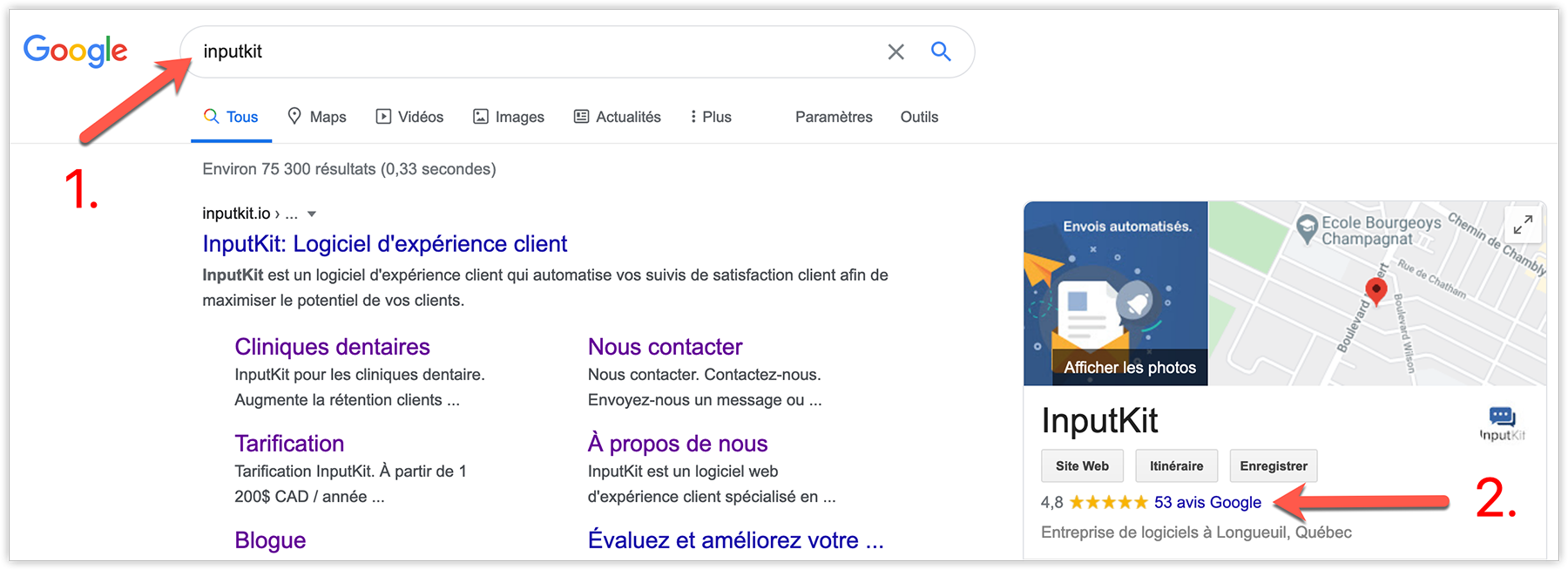
1. In Google Maps, search for your business. Click to see all your reviews.
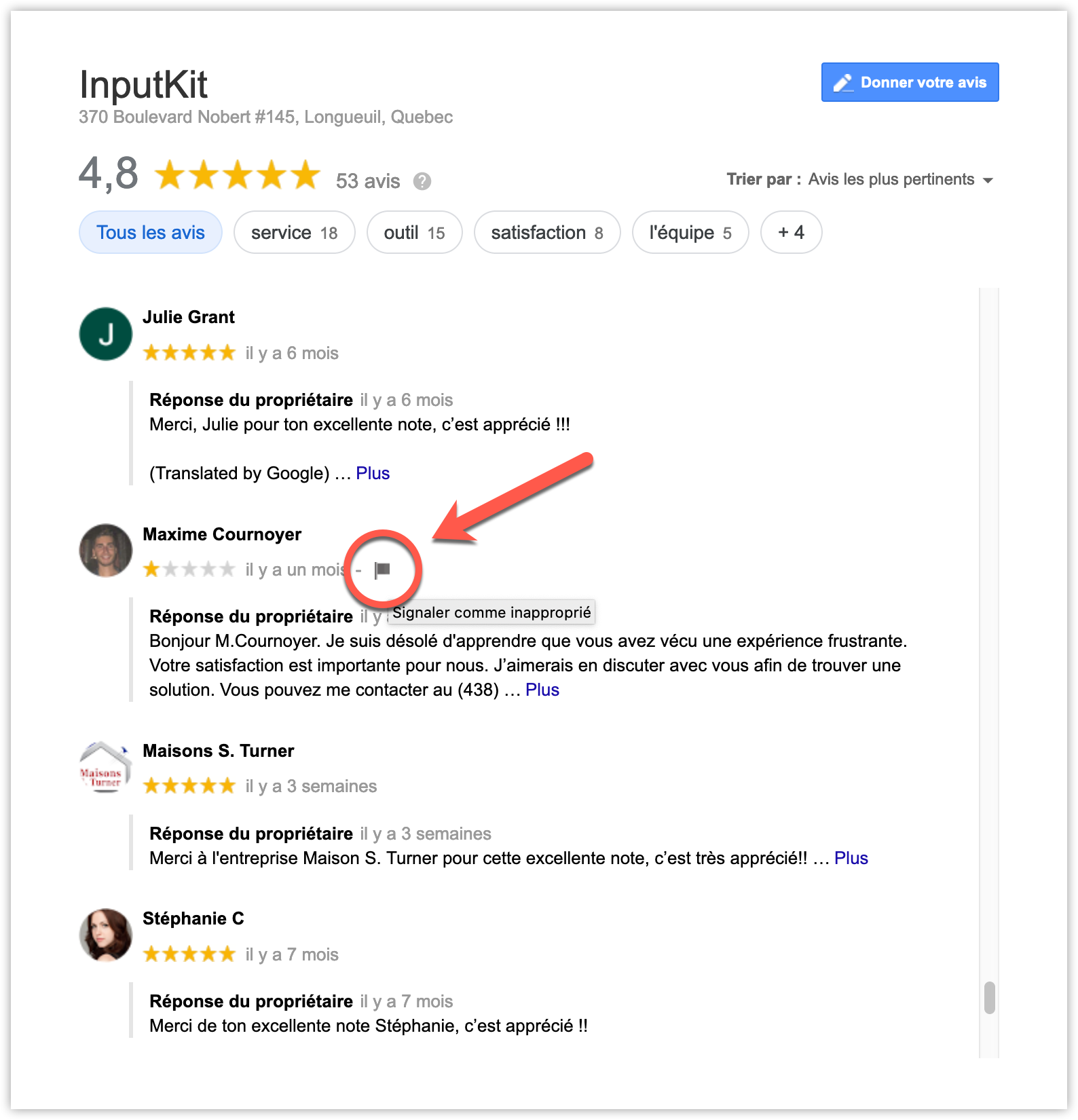
2. Find the review in question and click "Flag as inappropriate".
3. Report the issue
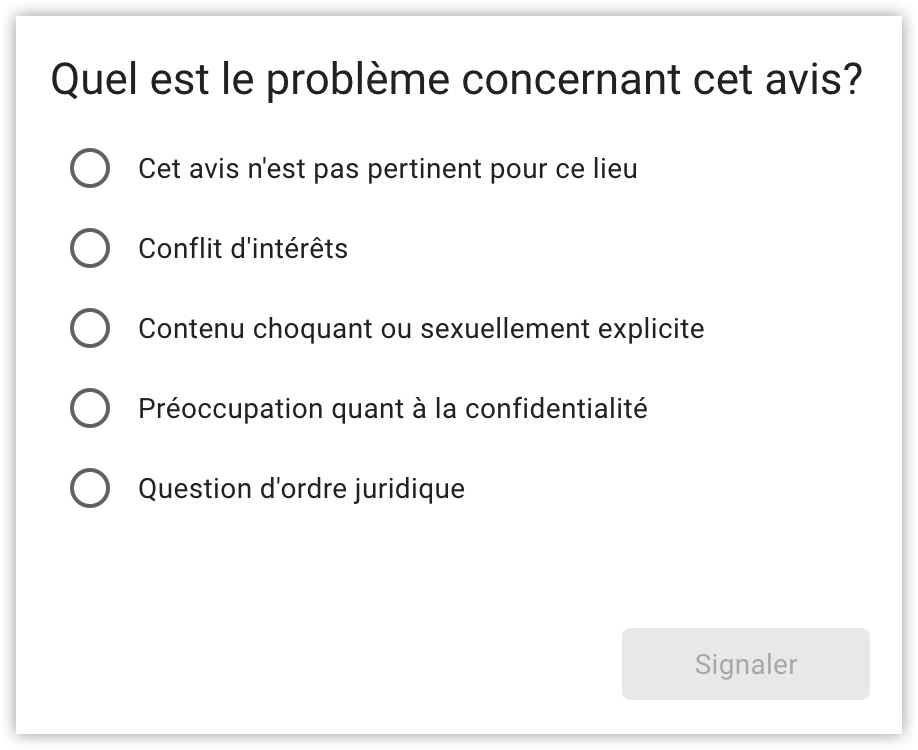
Once the review is flagged, an investigation will take place. If the platform determines the review is inappropriate, it will be removed. This is the only way to delete a Google review without the original author doing it themselves.
If you haven't yet properly configured your business profile, start by following this practical guide: How to Create a Google Business Account (with examples). This will give you all the features you need to manage your reviews effectively.
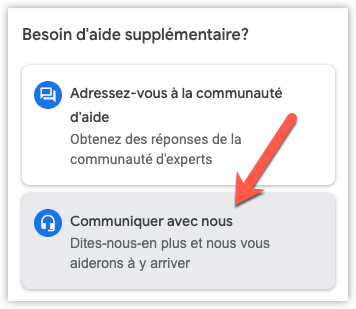
You can also contact Google directly to follow up on your review request.
1. Go to your Google My Business account
2. Click 'Support'
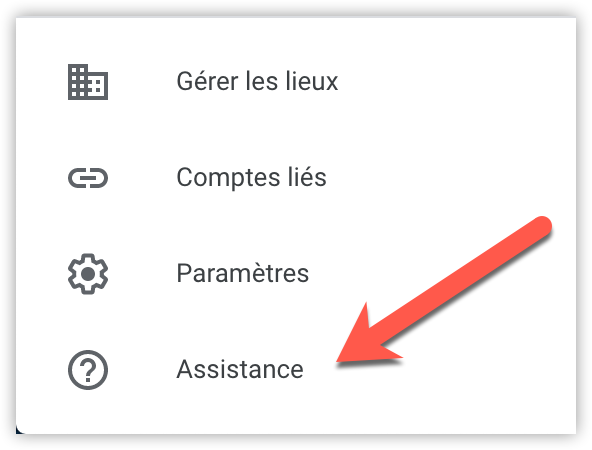
3. Click 'Contact us'
Method #2: Contact the Customer
We all know there is no "delete" button to remove a negative Google review directly. However, this situation can become an improvement opportunity for an attentive business owner. The worst reaction is to ignore the comment, instead, it's recommended to respond quickly and honestly, without making excuses.
Start by thanking the customer for taking the time to express their dissatisfaction, then commit to finding a solution. Internally, investigate the issue to fully understand what went wrong. The more information you gather, the easier it will be to handle the situation effectively.
The goal is clear: turn a bad experience into a loyalty opportunity. If the problem is resolved, you can invite the customer to update their review to reflect the service improvement. In this case, it's often helpful to send them directly your Google review link to simplify the process.
This approach helps strengthen customer satisfaction, improve your online reputation, and compensate for the fact that a Google review cannot be directly deleted.
Method #3: Dilute a Negative Review and Strengthen Your Reputation
When it's impossible to remove an unpleasant review, the best solution isn't to ignore it but to bury it among a flood of positive reviews. An isolated negative review will have little impact if your business regularly receives favourable feedback. This dynamic improves your star average and sends a trust signal to future customers.
To achieve this, it's essential to implement a structured review collection campaign. This means automating requests, sending them at the right moment (for example, right after a successful experience), and personalizing your messages to encourage satisfied customers to share their feedback. For more details, consult our guide on how to ask customers for a Google review.
Contrary to what one might think, a perfect score isn't necessarily a sign of credibility. If a business only displays 5-star reviews, it can seem suspicious. Having a few more nuanced reviews mixed in with a majority of positive evaluations actually reinforces the authenticity of your reputation. The key is to create a constant flow of positive testimonials.
Prevention is the best cure
The best defence is still prevention. The faster you identify friction points, the less likely you are to see negative reviews appear. This involves:
- promptly correcting recurring issues reported by your customers,
- training your teams in complaint management,
- and implementing proactive satisfaction monitoring.
Be wary of false good ideas. For example, some businesses think they can work around the problem by buying reviews, a risky practice that can lead to Google penalties. To learn more, read: Buying Google Reviews: A Practice to Avoid.
Alternatives to deletion
When a review can't be removed, there are several options to limit its impact. The first is to respond publicly with transparency and courtesy. Even facing a harsh comment, a professional response can reassure future customers. You can also highlight your positive reviews on your website, in your communications, or on your social media. Finally, a multi-platform online reputation strategy (Google, Facebook, Yelp, etc.) lets you diversify your channels and protect your image in the long term.
Tools to manage your reviews effectively
Review management should never be left to chance. Several tools can help:
- Free options: Google Alerts or the Google Business dashboard to monitor your reviews.
- Specialized solutions: tools like InputKit, which automate the collection of authentic reviews, quickly detect dissatisfied customers, and improve overall satisfaction.
- Agencies: worth considering for crisis situations or outsourced management needs.
Real-world examples
These approaches aren't just theoretical, they actually work in the field. A veterinary clinic in Montreal, for example, successfully had a defamatory review removed in just two weeks through a well-structured legal notice. On the other hand, an automobile dealership facing multiple negative reviews chose to focus on dilution. By using InputKit to automate outreach to satisfied customers, they saw their average rating go from 3.8 to 4.6 stars in six months.
These experiences show clearly that there is no single miracle solution. The key lies in a balanced combination of prevention, responsiveness, and proactive collection of authentic reviews.
Conclusion
Deleting a Google review isn't always possible, and in many cases, it's not even the best strategy. Between flagging an abusive comment, reaching out to a dissatisfied customer, diluting it with new positive reviews, and preventing issues upstream, there are multiple levers for building a stronger online reputation.
A negative review doesn't have to define your business's image. With a proactive approach based on transparency and regular collection of authentic reviews, you can quickly rebalance your customers' perception and strengthen their trust.
That's exactly what InputKit enables: by automating your review requests and tracking satisfaction in real time, you generate a constant flow of positive feedback that showcases your expertise. Many Quebec and Canadian businesses (clinics, dealerships, financial services) already rely on this solution to protect their reputation and improve the customer experience.