
Turn your customer feedback into concrete decisions
InputKit AI reads your customer feedback, highlights the situations that call for action and suggests what to do next. Your data is already in InputKit: the module helps you turn it into clear priorities, faster.
An add-on module for your InputKit account that works from the data you already collect.
The real work starts after the feedback
Collecting feedback is not enough
Once the responses come in, someone still has to work through them. Every week, the same sequence starts over.
AI Coach
Your priorities for the day, before your first meeting
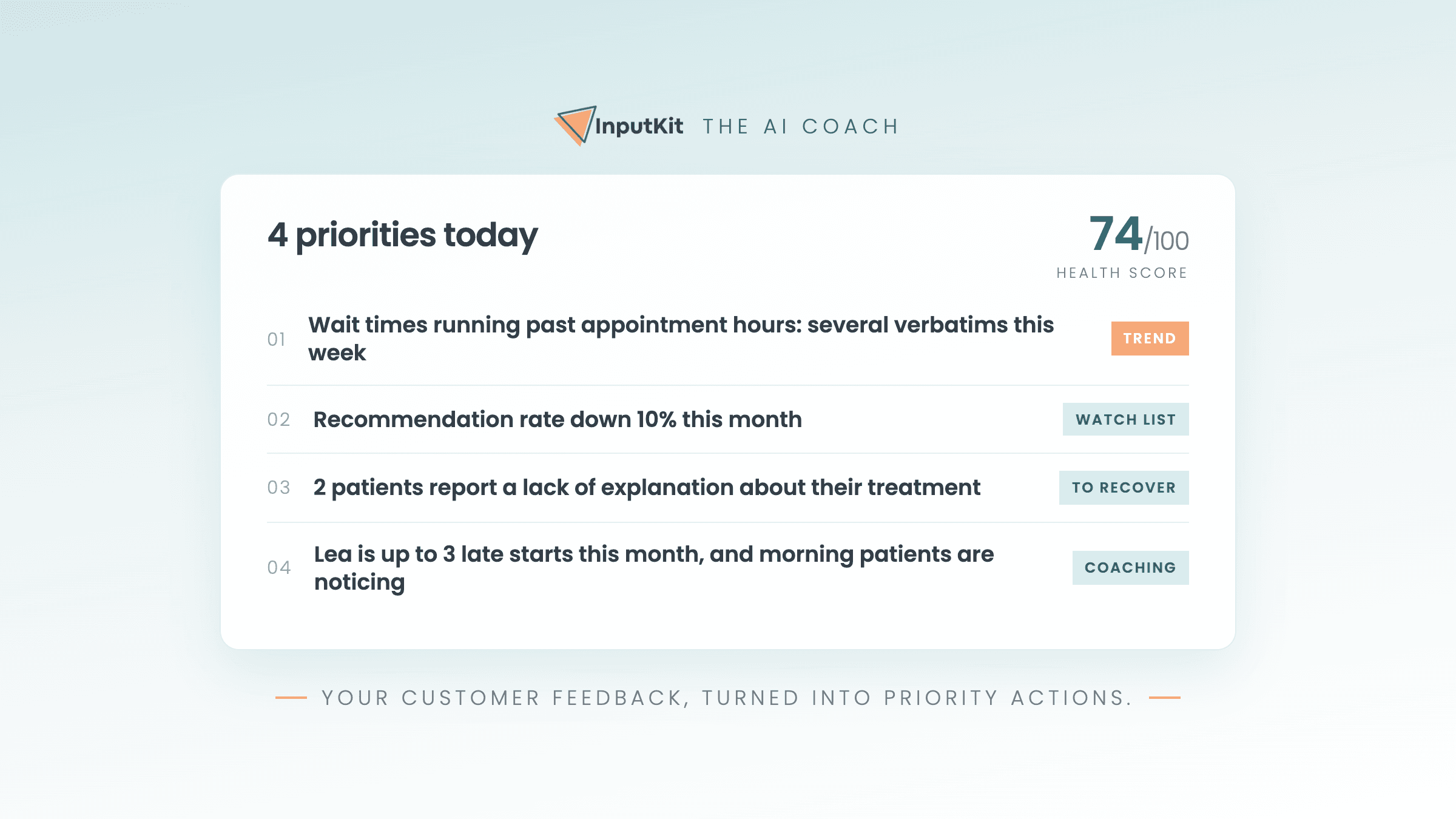
The AI Coach reviews your customer feedback every day and hands you a short list of priorities. You know what to handle first without opening a single report.
Silent demo, recorded in French. At 8 a.m., a notification announces that the coach has finished its daily review, delivered by email, Slack or mobile notification. A card shows three priorities for the day and a health score: a customer to win back, a drop in the recommendation rate, and an employee who would benefit from presenting costs before treatment. Points to watch and situations to track follow, then the actions already completed the day before, which the coach does not put back on the list. The coach's scope can cover every branch, each with its own score. A button finally opens a conversation with the coach.
Verbatim report
Hundreds of comments, a single read
The verbatim report reads all of your comments and pulls out themes ranked by sentiment. You see what is working, what is catching, and you can trace it back to the comments that explain it.
Silent demo, recorded in French. A wall of comments from Google reviews, Facebook and survey responses comes together: more than twelve hundred comments over a quarter, all read by the AI. The report then shows the number of categories, the share of positive comments, the best-performing category and the one that needs the most attention. A second screen ranks groups, themes and keywords by sentiment, with the number of mentions for each. Clicking a negative theme opens the comments behind it, with their source and branch.
AI replies to Google reviews
Reply to your Google reviews far faster
The AI drafts a reply for every review. You adjust it, you sign it, you publish. The tone stays yours, and it sharpens as you keep publishing.
Silent demo, recorded in French. A clinic's count of unanswered reviews goes up by one. A two-star Google review appears: a customer reports a gap between the price quoted on the phone and the invoice. The AI writes a draft reply that acknowledges the problem and explains what has changed. Two options appear, improve the reply with the AI or make it shorter. The shorter version is kept, a signature is added, then the reply is published to Google. The video closes on the idea that the AI learns your writing style from every reply you publish.
These analyses run on your own data
InputKit AI works from the feedback you already collect. There is nothing to prepare and nothing to import.
AI Chat
Ask your question, get a clear answer
The AI Chat works from your real InputKit data. You ask in plain language, it answers with the facts and the next steps, without sending you through several reports.
Silent demo, recorded in French. The AI Chat is asked what should be fixed first this week. It answers that two signals at one branch need attention: an employee with four dissatisfied-customer alerts left without follow-up for 72 hours, and an employee whose recommendation score is the lowest on the team. Asked how to resolve it, the chat proposes a two-step plan, with a follow-up message drafted for each customer and a meeting to schedule, quoting the irritant that keeps coming back in the comments. Two follow-up suggestions appear: view that employee's verbatim comments, and prepare the follow-ups for the four alerts.
Employee report
Understand a result, not just a score
The employee report analyses what your customers say about one person, puts the score back in context and surfaces a concrete action to work on together.
Silent demo, recorded in French. The report opens on what 34 patients say about one employee, then shows her recommendation score. It moves on to the irritant raised by nine patients, quoted directly: the at-home care instructions were not explained. The report closes on a recommended action for the week, hand out written follow-up instructions after every treatment, and notes that the analysis is produced for each employee, every week, in the customers' own words.
Weekly summary
Every Monday morning, last week on one page
The weekly summary analyses the feedback from the week that just ended and hands you what matters: what went well, what is catching, and one thing to fix.
Silent demo, recorded in French. On a Monday, shortly after 7 a.m., a notification announces the weekly summary for a group of clinics covering the week that just ended. The analysis opens in three blocks: the strengths, namely the team's gentle approach and attentiveness raised in fourteen comments; the areas to improve, namely a lack of explanation about treatments mentioned in nine comments; then a recommendation, explain the treatments and hand out written instructions after every appointment. The video closes on the promise of a summary every Monday morning.
Module pricing
Choose your monthly capacity
A piece of feedback is a survey response or a Google review that carries a written comment, the kind of text the AI can actually analyse. A rating on its own, with no comment, is never counted.
InputKit AI
Up to 50 pieces of feedback analysed per month
CA$990.00
per year, plus tax
Less time spent understanding, more time spent acting
Your customers are already telling you what to improve. InputKit AI helps you act on it.
Activate InputKit AIThe module is added to your existing InputKit account.

